
Any-site capture
Pattern-based extraction that adapts to directories, listings and member pages.
Yellow pages, niche directories, market listings, LinkedIn: you walk past hundreds of leads a day and leave them on the table. The Leads Ranger extension picks them up as you browse and files them straight into your pipeline.
Free during the open pilot
No credit card required
Every feature included


Most "capture" extensions work on exactly one site. Ours reads the structure of whatever page you are on (business directories, listing marketplaces, association member pages) and extracts names, websites, phones and emails with pattern recognition that adapts to each layout.
Every capture carries a confidence score, so you know at a glance which extractions are rock-solid and which deserve a second look before they enter your pipeline.

Capturing: 12 leads on this page
Mile High Plumbing Co.
milehighplumb.com · (303) 555-0171
Rocky Mountain Drains
rmdrains.com · info@rmdrains.com
Front Range Pipeworks
frpipeworks.com · (720) 555-0139
Found a directory with forty pages of prospects? Do not click through them. Autopilot mode walks the pagination for you, capturing every page, respecting your pace settings, with a hard stop button that halts everything instantly when you have enough.
You watch the counter climb; the extension does the mileage. What used to be an afternoon of copy-paste is now a coffee break.
Autopilot pagination crawling with live progress
Instant hard-stop control: you are always in charge
Captures deduplicated against your whole workspace
Autopilot session: Denver plumbers
1. Page scan
autoDetects the directory’s listing pattern
2. Crawl
runningPages 1–38 · 447 leads captured
3. Dedupe & score
31 duplicates removed · confidence scored
4. Sync
Filed to "Denver trades" group in your workspace
The extension does more than read LinkedIn: it runs a full outreach campaign there. Targeted connection requests with personal notes, follow-up messages the moment someone accepts, daily limits you set, and a rehearsal mode that drafts every message without sending one.
Everything you capture syncs to Leads Ranger in real time, lands in the right group, and (if you have auto-approve rules on) flows straight into your AI sequences. From browsing to outreach without touching a spreadsheet.
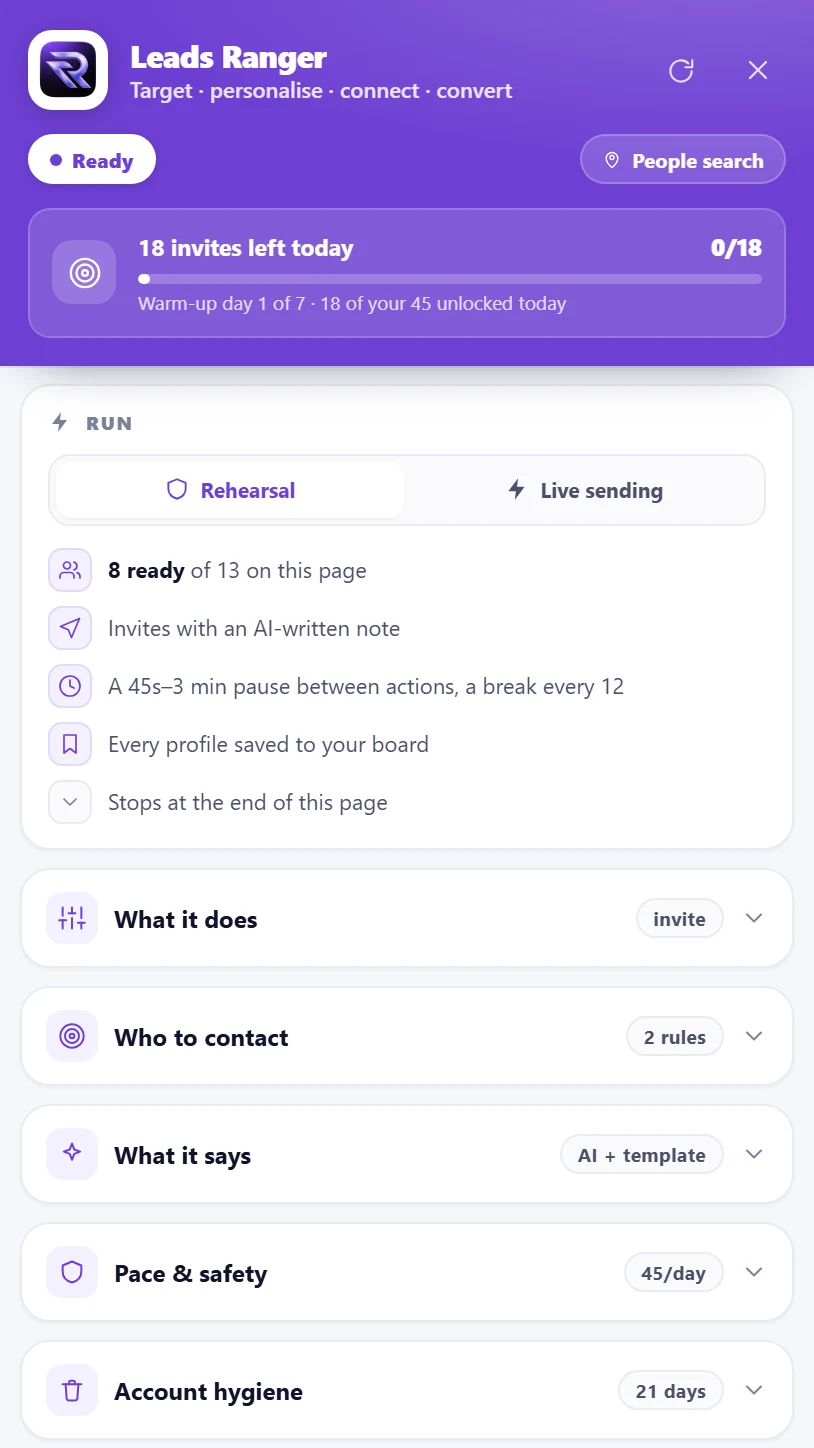
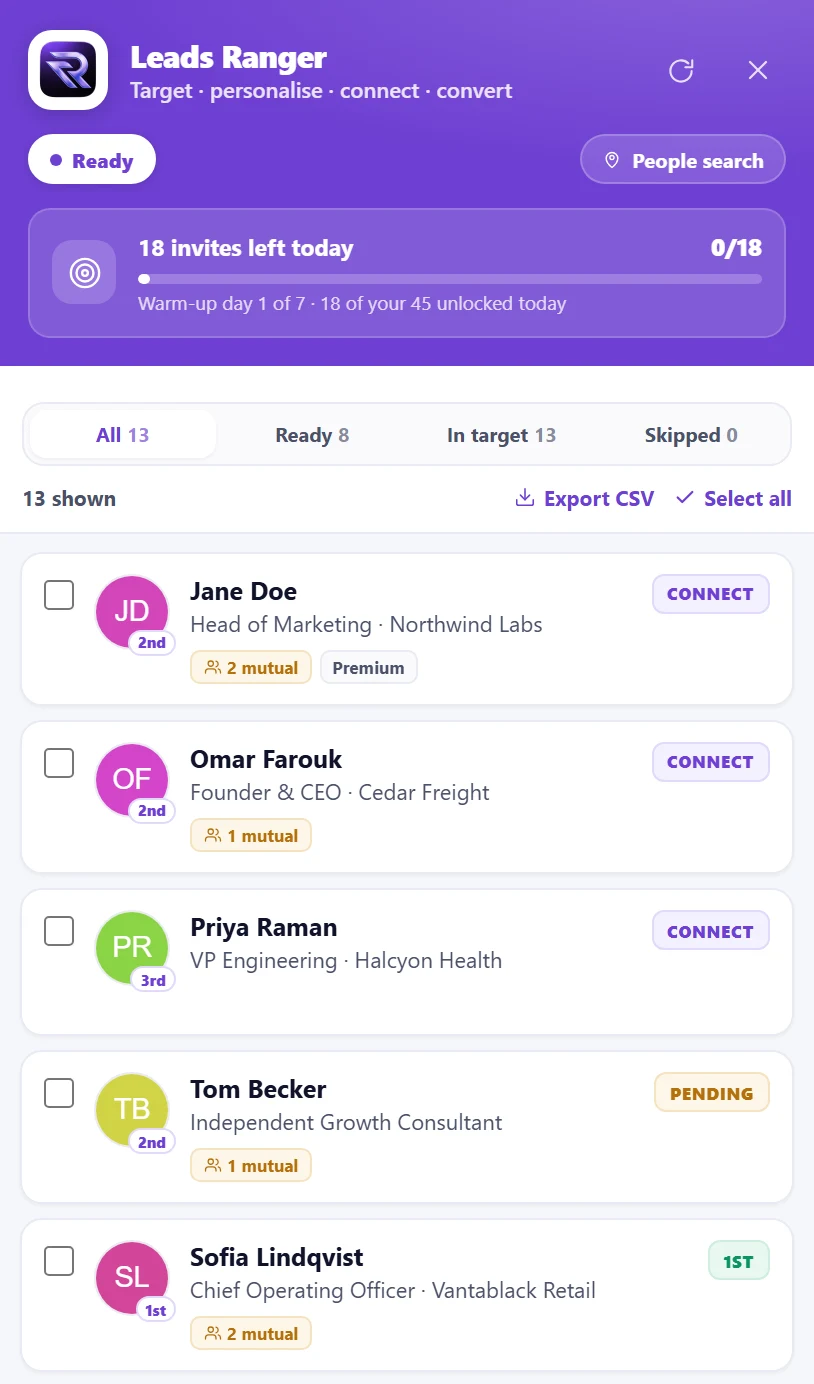
Everything the extension captures obeys the same rules as the rest of your arsenal: deduped, scored, grouped and sequence-ready.
Pattern-based extraction that adapts to directories, listings and member pages.
Walks multi-page directories automatically with live progress and a hard stop.
Every extraction rated, so you trust the clean ones and check the rest.
Profile and company capture for the professional web, plus a full LinkedIn campaign engine.
Captures land in your workspace instantly: grouped, deduped, scored.
Hot captures can flow straight into sequences without manual review.
Capture credits included on every plan and refreshed monthly: see pricing for current allowances.
Pace controls and public-data capture: hunt hard, hunt clean.
1 click
from any webpage to your pipeline
3 browsers
supported: Chrome, Firefox and Edge
0
spreadsheets involved, ever
One extension, three browsers, the same pipeline. Free on every plan while we are in pilot.
Any site with structured business listings: general directories, niche and trade directories, market listing pages, association member rosters and more. The extraction engine reads the page’s structure rather than relying on site-specific integrations, which is why it works broadly where single-site extensions fail. LinkedIn has its own dedicated mode.
From the page. Install it, open Leads Ranger, and press one button: the page hands the extension a one-time code and it signs itself in, no password and no copying a key. It also powers Raptor, the Google Maps missions, which run in a minimized window of their own while you keep working.
Most competitors’ extensions are single-profile email lookups: you visit one LinkedIn profile, they find one email. Leads Ranger captures entire directories with autopilot pagination crawling, scores each extraction for confidence, deduplicates against your whole workspace and syncs into groups and sequences automatically. It is a harvesting tool, not a lookup tool.
They sync to your Leads Ranger workspace in real time, deduplicated against existing leads, heat-scored, and filed into the group you choose. If you have auto-approve rules configured, qualifying captures enroll straight into your AI outreach sequences. Browsing becomes pipeline.
Every plan includes monthly capture credits that reset automatically, and captures that fail to extract usable contact data never burn credits. The current allowance for each plan is listed on the pricing page.
The extension captures publicly visible business information (the same data anyone reads on the page) with pace controls to keep your browsing respectful. You are responsible for complying with each site’s terms and your local regulations on business outreach; the extension gives you capture discipline (pacing, public data only), and your outreach should follow the same ethic.
A buyer guide written from the inside: the seven things a capture extension has to get right, the four failure modes that only show up after a hundred pages, and the privacy questions worth asking.
Read the guide→Guide · 10 min readWhich business directories are worth prospecting in the USA, UK, Australia, Canada and the UAE. Official registers, paid listing sites and trade bodies, what each one actually gives you, and how to turn a listing into a lead you can contact.
Read the guide→Guide · 8 min readThe step-by-step method for finding the contact email a business publishes on its own website, the four places to look, the addresses that look right and are not, and how to verify before you send.
Read the guide→Guide · 9 min readA repeatable five-step method for building an exclusive B2B email list from public sources, with the verification gate that decides whether the list is an asset or a liability.
Read the guide→Capture & Sync Extension hits harder when the whole platform fights beside it. Explore what else ships with it.
Run a real LinkedIn campaign: targeted invites, personal notes, follow-ups after they accept.
Explore linkedin automation→Name the businesses you want. Raptor sweeps the city on Google Maps and hands you the ones you can email.
Explore raptor: maps missions→Finds the real contact email on a business’s own website, and refuses the ones that only look right.
Explore website email finder→Install the extension, browse like you always do, and watch your pipeline fill itself.